• GET THE APP
  • CHANGE COUNTRY
  • Austria
  • Belgium(French)
  • Belgium(Dutch)
  • Switzerland(German)
  • Switzerland(French)
  • Switzerland(Italian)
  • Czech Republic
  • Germany
  • Denmark
  • Estonia
  • Spain
  • European Union
  • Finland
  • France
  • Greece
  • Croatia
  • Hungary
  • Ireland
  • Iceland
  • Italy
  • Lithuania
  • Luxembourg
  • Latvia
  • Netherlands
  • Norway
  • Poland
  • Portugal
  • Romania
  • Sweden
  • Slovenia
  • Slovakia
  • Turkey
  • UK

    About Us
  • Products & Services
    • In-App Services
    • In-Car Services
    • Digital Key
    • In-Car Payments
    • Safety Score
    • Kia App
    • Connected Cars Subscribtions
  • Store
  • Customer Support
    • FAQ
    • Guides
    • Contact Us
  • Business
    • Business Legal Documents
    • Kia Business Solutions portal
  • GET THE APP

Kia KIA KIA

  • CHANGE COUNTRY
  • Austria
  • Belgium(French)
  • Belgium(Dutch)
  • Switzerland(German)
  • Switzerland(French)
  • Switzerland(Italian)
  • Czech Republic
  • Germany
  • Denmark
  • Estonia
  • Spain
  • European Union
  • Finland
  • France
  • Greece
  • Croatia
  • Hungary
  • Ireland
  • Iceland
  • Italy
  • Lithuania
  • Luxembourg
  • Latvia
  • Netherlands
  • Norway
  • Poland
  • Portugal
  • Romania
  • Sweden
  • Slovenia
  • Slovakia
  • Turkey
  • UK
  • Get the App
  • Back to Top
  • General Questions
  • How it Works
  • Problem Solving
  • Data Protection
  • Communication
  • Guides
  • Contact Us
  • Get the App
  • Back to Top
  • Kia Connect Customer Support

  • FAQs
    FAQs
  • Guides
    Guides
  • Contact Form
    Contact Form
  • Frequently Asked Questions

    Kia Connect FAQ Kia Connect Store FAQ Safety Score FAQ

    In the General FAQs, you can find broader questions and answers about Kia Connect. Here, you can understand what the service is all about, its purpose, and other useful information.

    General Questions How it Works Problem Solving Data Protection Data Act Communication Pleos App Market Connected Car Subscriptions
  • General Questions

    How can I access Kia Connect services?

    • Kia Connect services are divided into two categories: ‘in-app’ and ‘in-car’ services.

    • In-car services such as traffic and weather updates are accessible via the touchscreen infotainment system in your car.

    • You can use the Kia App to access a range of services that enable you to monitor and control your car remotely.

    • To fully enjoy the benefits of the Kia Connect services, downloading the app and having the latest software system are highly recommended.

    How can I know if my car has Connected services?

    • If your car is equipped with Kia Connect, you can activate the connected services from the Kia Connect menu in the car navigation screen.

    Do I have to have an account to access Kia Connect services?

    • You don’t need an account to access most in-car telematics features – you only need to activate the Kia Connect services via your car’s navigation screen.

    • You need to create a Kia Account to use the Kia App.

    • To fully enjoy the benefits of the Kia Connect services, downloading the Kia App and having the latest software update installed in your vehicle is highly recommended.

    How do I link / add my car to my Kia Account?

    • Ensure that the Kia App is downloaded from Google Play or App Store.

    • Proceed with the Kia Connect registration by accepting the Terms of Use and Privacy Notice.

    • In your car, navigate to the Kia Connect menu and click on Modem Information within the Kia Connect menu.

    • Click on the Add Car button on the Kia App home screen and scran the QR-code from your car's navigation screen or enter your car’s VIN manually.

    • You will receive the 6-digit verification code on the navigation screen. Enter the code into your Kia App and complete the Add Car process.

    Can other members of my family use Kia Connect services?

    • The first user to link the car to the Kia App and activate Kia Connect becomes the 'main user'.
    • The main user can use the ‘share vehicle’ function to enable others to connect their own account to the same car.

    I’ve purchased a used Kia car and the previous owner’s account is still connected. How do I remove this and connect my own account?

    • Deactivating the Kia Connect services will delete any personal data left behind by the previous owner. To deactivate Kia Connect, please navigate to the Kia Connect settings on the display of your navigation unit.

    • After deactivating Kia Connect you can activate it again and link the vehicle with your Kia Account.

    How can I disconnect my account if I decide to sell my car?

    • You should remove the car (VIN) from your Kia App or deactivate Kia Connect in your car by navigating to the Kia Connect settings.

    How can I delete my Kia Account used for Kia Connect?

    • You can disconnect your Kia Account with Kia Connect by navigating to Profile from Customer Area in the Kia App.

    • Under Profile, please choose the option “Terminate account”.

    • To delete your Kia Account, you have to disconnect/delete all linked services first (all linked services have to be deactivated).

    • Navigate to your Kia Account Portal and please choose “Manage Account”. Click on the “Delete your account button”, confirm that you have understood the given terms, and click on the “Delete button”.

    Can Kia Connect services be used abroad?

    • Kia Connect coverage depends on our telematics partner and SIM provider, Vodafone.

    • Kia Connect services are available across Europe wherever Vodafone or one of its partner networks operates.

    • This also means that Kia Connect may be accessible in countries where telematics services have not yet officially launched, provided Vodafone or one of its partner networks is present in that country.

    What does the Kia Connect Services cost?

    • Kia Connect service is offered to all Kia customers for free for up to seven years from the date of activation.

    • For new vehicles sold from May 2021, Kia Connect offers, per vehicle, two free-of-charge updates of the maps in the vehicle’s navigation system and of the Head Unit software using the so-called “over-the-air” method (“OTA Updates”). Once the two free-of-charge OTA Updates have been consumed, you will be able to get free-of-charge updates of the maps in the vehicle’s navigation system and of the Head Unit software only (i) by accessing the following web page or (ii) at a dealership.

  • How it Works

    How to change the language of the app?

    • Ensure that you are logged in Navigate to Customer area → App settings → Language

    What is Driver (User) Profile transfer feature and how can I use it?

    • The Kia App allows you to link your account with the Driver Profile in your vehicle. If your vehicle has a compatible software version, you can link your Driver Profile either directly via the vehicle’s screen.

    • Once your profile is successfully linked, your vehicle settings will be applied to the car. Your settings will be synchronized with your profile, so that they can be applied later to another vehicle.

    How to send A Point of Interest (POI) from the Kia App to my car?

    • Open the Map screen in your Kia App
    - Select a Point of Interest (POI) or enter an address
    - Tap the Send to Car button
    - The selected address is sent directly to your car’s screen


    • Important: If your Kia App is not linked to your Driver Profile, destinations sent via Send to Car will be applied to the Guest Profile in the vehicle.

    How does the Calendar Link feature work?

    • The Kia App allows you to link your Google or Apple calendar and display calendar entries on your vehicle’s navigation screen. With a compatible software version, the Calendar Link feature is available in the Vehicle Settings --> External Services section of the Kia App.

    • To use it, log in to your Google or Apple account and allow access. For Apple accounts, an app-specific password is required (see guideline ).

    • Please note that only one calendar can be linked per vehicle, and it can be unlinked at any time directly in the app.

    Does the Kia App send push notifications and can I disable them?

    • Yes, the Kia App uses push notifications to inform you about important events related to your vehicle. For example, vehicles equipped with a burglar alarm system can notify you if the alarm is triggered.

    • You can turn off or customise notifications at any time in the Kia App by going to the Customer area --> Settings menu and selecting Notifications.

  • Problem Solving

    Why does the Kia App sometimes show incorrect information or not work properly?

    • We continuously develop and improve the head unit software. If you experience bugs or the app displays incorrect information, we recommend updating your vehicle’s software to the latest version.

    • If your head unit is not up to date, you can download the latest software using the Navigation Updater here.

    It seems that my car has lost connection. How can I restore the connection?

    • Your vehicle may have temporarily lost its connection.

    • For vehicles with Standard Gen5W infotainment system, please perform a hard reset of the head unit by locating the small pinhole reset button, usually near the volume knob and press it for a few seconds using a thin object, such as a pen. If the issue persists, you can contact us via the contact form in the “Contact us” section.

    • For vehicles with the Connected Car Navigation Cockpit (ccNC), you can contact us via the contact form in the “Contact us” section. 

    • Gen5W equipped vehicles - Picanto, Stonic, eSoul, Ceed, Proceed, XCeed, Niro, Sportage, Sorento, EV6

    • ccNC equipped vehicles - EV2, EV3, EV4, EV5, EV6 Facelift, EV9, K4, Sportage Facelift, Sorento Facelift

    I forgot my PIN code, how can I change or reset it?

    • You can change your PIN code in the Profile section of the Kia App. Enter your current PIN, set a new PIN, confirm it, and submit the change.

    • Alternatively, If you do not remember your current PIN, you can also reset it in the Profile section of the app. You will be asked to log in to the Kia App again in order to set a new PIN code.

    Why do I receive notification that my car is unlocked even though it is locked?

    • This may happen if your vehicle has temporarily lost its network connection, for example when parked underground. In such cases, the vehicle status may not be updated.

    • Once your vehicle is back in an area with good network coverage, you can refresh the status of the vehicle in the Kia App by pulling down the Control screen or the Vehicle status screen.

    How can I change my mobile number in my Kia Account used for the Kia App?

    • Navigating to Profile section in the Kia App.

    • Log in to the Kia App again

    • Set a new mobile number.

    What should I do if the Kia App says my VIN is invalid when adding a new vehicle?

    • The Kia App only accepts VINs from vehicles that are compatible with Kia Connect. If your vehicle is equipped with Kia Connect, you will find the Kia Connect section on your vehicle’s screen.

    • Please note that each vehicle (VIN) can be linked to only one Kia Connect account. The app will notify you if the VIN is invalid or has already been associated with another account.

    • If you are unsure whether your vehicle is equipped with Kia Connect, please contact your Kia dealer or reach out to us via the contact form on our website.

    Where can I find my VIN?

    • Your VIN can be found in the documents related to your vehicle. Usually, in the vehicle, the VIN can be found on the driver's side where the corner of the dashboard meets the windshield

  • Data Protection

    Can I download my personal data from the Kia App or from the Head Unit?

    • The Kia Connect services (Kia App and Head Unit) do not provide a feature that enables the user to download his or her personal data.

    • However, please feel free to contact us (e.g., via our contact form under the “Customer support” section) if you wish to receive your personal data which we process in connection with the provision of the Kia Connect services.

    How can I delete my personal data in the Kia App or the Head Unit?

    • There are different ways for users to delete their personal data in the Kia App or the Head Unit: • The Kia Connect services (Kia App and Head Unit) do not provide a feature that enables the user to download his or her personal data.

    • However, please feel free to contact us (e.g., via our contact form under the “Customer support” section) if you wish to receive your personal data which we process in connection with the provision of the Kia Connect services. If you remove a car (VIN) from the Kia App and deactivate the Connected services, all data that relate to that car (VIN) will be deleted from the Kia App and the Head Unit.

    • If you deactivate the Kia Connect services in your car in the Kia Connect settings of the Head Unit of your car, all data that relate to the connected services in that car (VIN) will be deleted. Please ensure you have deleted the car (VIN) from the Kia App as well.

    • For the use of the Kia Connect services (Kia App and Head Unit) you may have created a Kia Account. To delete your personal data linked to your Kia Account, you can terminate your Kia Account on the Kia App as follows: Select “Customer area“ - “Profile” - “Terminate account”. Please note that you must remove all cars linked to your account (see above) before you can terminate the Kia Account.

    • You may also contact us (e.g., via our contact form under the “Contact us” section) with your deletion request.

    Which categories of personal data are processed in connection with the Kia Connect services (Kia App and Head Unit)?

    Please note that the Kia Connect services are optional and require activation by the user. If you decide not to activate the Kia Connect services, no personal data will be collected by us in connection with such services.

    • If you decide to activate the Kia Connect services, we will process certain personal data about you. A complete description of the Kia Connect services and the personal data processed by us in connection with the provision of these services is set out in our Privacy Notice provided as part of the Legal Documents referenced above.

    • If you have activated the Kia Connect services, you also have the option to switch to the offline mode in the Head Unit (“Offline Mode”). During the Offline Mode, no personal data will be shared with or collected by us via the Head Unit. The same applies to the Kia App. If you have set the Offline Mode in the Head Unit, the Kia App services cannot be used, which means that also no personal data will be collected on the app related to such services during the period of the Offline Mode.

  • Data Act

    What is the EU Data Act, and how does it apply to me as a Kia driver?

    • The Data Act gives the user of a connected vehicle the right to access the data generated through its use. This includes technical, operational, and usage data, depending on availability.

    • It is necessary, the user’s Kia vehicle is “connected” and ready to transmit such usage data to our servers. You can find out whether your vehicle can do this in the manual.

    • All legal information can be found here .

    Who counts as a “user” under the Data Act?

    • To be a “user” under Data Act you do not need to own a car but need to legally use or operate the vehicle.

    Which user role applies to me?

    • If you are the driver of a connected Kia vehicle, regardless of whether you own the vehicle or it has been given to you for your use, you are a private customer.

    • As a company that provides connected Kia vehicles to users who are allowed to drive those vehicles, you are considered a business customer.

    What kind of data can I access from my connected Kia vehicle?

    • Depending on your user role as described in the question above, you may want to access data relevant to your needs. Whereas a private customer might be interested in vehicle-generated data such as mileage, battery status, error codes, maintenance logs, and sensor data, a business customer could request relevant operational data for vehicles they manage or operate, such as energy consumption or telematics data.

    • Access to data is available provided it is technically accessible and not excluded by law. A complete list of possible available data can be accessed here . 

    How can I request access to my vehicle data?

    • If you are a private customer, you can access your data via our data access request form here by selecting “Data Act request”. We may ask for proof of your user status (e.g., registration document, lease agreement) before processing.

    • For business customers, such as rental companies or fleet customers as well as 3rd parties requesting data on behalf of a customer, we provide a portal for access and use to vehicle data.

    Is there a cost to access my data?

    • For private customers, access to your own vehicle data is generally free of charge.

    • For all other cases, our price list applies.

    What data is excluded from access?

    • The following types of data are generally excluded:

    - Data that is not technically available from the vehicle.

    - Data containing trade secrets that cannot be protected.

    - Data that is derived or created through internal analytics or prediction models.

    - Personal data of third parties (e.g., co-drivers or passengers), unless consent is provided.

    What if some of the data includes trade secrets or personal data?

    • If the data includes information considered a trade secret under EU law, it may still be accessible, but only if confidentiality can be ensured. In some cases, access may be restricted or denied to protect sensitive commercial information.

    • Personal data under GDPR will only be provided if all the data protection requirements are met, in particular if a sufficient legal basis for the data processing can be demonstrated.

    How long does it take to get the data?

    • We aim to provide access to your data within  15 business days, though this may vary depending on the complexity or scope of the request.

    Does the Data Act mean I own the vehicle data?

    • No — the Data Act does not grant ownership rights. It gives users the right to access and use vehicle-generated data by themselves but does not address ownership rights.

  • Communication

    Does Kia Connect send marketing communications to Kia Connect customers?

    • We will send you marketing communications only with your explicit consent.

    Can I opt out of Kia Connect marketing communications?

    • Yes, you can revoke your given consent regarding marketing communications from Kia Connect at any time

    • Customers can disable notifications from the notification center of the head unit.

    Will Kia Connect give me advance notice of any important changes to the Privacy Policy or Terms of Service?

    • Yes, Kia Connect will share details of any important changes with Kia Connect users before the changes will be applied.

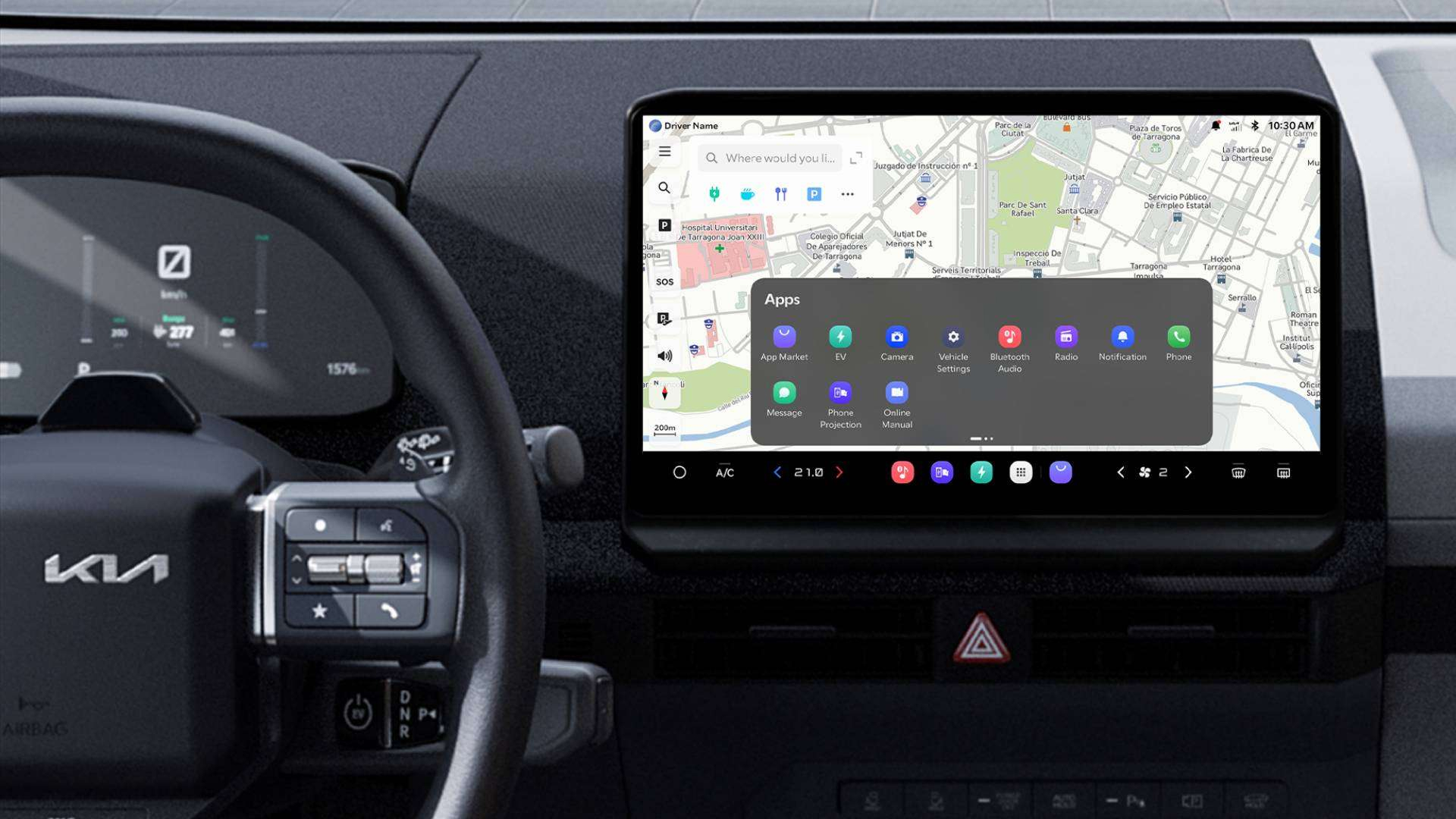
  • Pleos App Market

    How do I launch Pleos App Market?

    • Tap the "App Market" icon on the display.

    Do I need to register to use Pleos App Market?

    • Yes. First-time users must create an account with an email and password.

    How do I delete my Pleos App Market account?

    • Go to MY menu > Settings > "Disconnect App Market"

    Are there restrictions on using apps while driving?

    • Only apps that meet safety standards can be used while driving.

    What is the difference between Kia Connect Store (FOD) and Pleos App Market?

    • Kia Connect Store provides digital features offered by Kia. Pleos App Market is an open platform where various developers can directly create and provide apps designed for in-vehicle use.

    What is the difference from the Mobile App Market?

    • Pleos App Market is optimized for in-vehicle use and safety.

    Which vehicles support the Pleos App Market?

    • First available in Kia PV5, expanding to more vehicles.

  • Connected Car Subscriptions

    What is a Kia Connect subscription?

    • A Kia Connect subscription lets you keep or upgrade your vehicle’s connected features after the initial free period ends.

    When can I buy a subscription?

    • Availability starts in May 2026 and depends on model and market. If you’re eligible to purchase a subscription you will be informed accordingly.

    Which packages are available?

    • Standard and Premium packages depending on vehicle and market.

    What features do I get with each package?

    • Features vary by model, model year, infotainment platform, and software. You find the overview about features on the product page in the Kia Connect Store.

    How much does it cost?

    • Prices are shown in the Kia Connect Store and can vary depending on market.

    How do I purchase a subscription?

    • You can purchase the available packages in the Kia Connect Store which is accessible via the Kia App.

    Which payment methods can I use?

    • Payment methods vary per country; options are shown at checkout.

    Will I lose safety functions if I don’t subscribe?

    • No, only subscription-based connected features will stop working.

    What happens when my free period ends?

    • Connectivity features will stop working unless you subscribe; you will be notified in advance.

    Do I get a trial?

    • All legacy vehicles already enjoyed a 7-years free period for Kia Connect services.
    • For new vehicles starting with Model Year 2027 the free period for the Kia Connect Standard package will remain at 7-years and all cars get a 1-year complimentary period for Kia Connect Premium if it is available for that particular model.

    Can I cancel my subscription?

    • Yes, via the app; features remain active until the end of the billing period.

    Is my vehicle eligible?

    • Eligibility is automatically checked and only if your vehicle is eligible for any package it will be displayed.

    Can I move a subscription to another vehicle?

    • No, it is not possible to transfer your subscription to another vehicle.

    Will subscriptions use my mobile data?

    • The Kia App uses your phone data; in-car services use embedded vehicle connectivity.

    Do I need to visit a dealer?

    • No; subscription can be purchased through the Kia Connect Store, accessible via the Kia App.

    Will I still get software updates?

    • Software update availability depends on the infotainment system platform of your vehicle and the package you purchased.

    How do I know how long my free period is?

    • Kia models from Model Year 2027 with 1 year of Kia Connect Premium and 6 years of Kia Connect Standard.
    • After the 1-year free trial for Kia Connect Premium (excluding ccNC Lite), you can still use Kia Connect Standard for another 6-years for free.
    • After the trial period you can purchase Kia Connect Premium (prices depending on model). If you don’t go for the Premium package, you will automatically switch to the Kia Connect Standard package for 6-years.
    • Kia models Model Year 2026 and older
    • If your Kia is from Model Year 2026 or previous years you will be able to purchase the Kia Connect Standard or Premium package (depending on your model) after the expiration of your initial free period for Kia Connect services (7-years)

  • Legal Documents
  • Discover our Step-by-step Guides
  • Discover our Step-by-step Guides

    If you want to be taken step-by-step through how to get around Kia Connect and leave no room for doubts, check out our Guides.

    Go to Guides
  • How can we help you?

    Fill out our support forms and our team will directly answer you.

    • Kia Account Support

      • Registration
      • Login
      • Password reset
      • Account deletion


      Go to the Form
    • Kia Connect In-App & In-Car Services Support

      • Service activation
      • Adding a vehicle
      • Network issue
      • Kia Connect functionalities
      • Feature requests
      • Over-the-Air (OTA) updates
         
      Go to the Form
    • Kia Connect Data Protection, Privacy & Legal Support

      • Kia Connect services: terms of use and privacy notice
      • Kia Connect website: cookies and privacy policy
      • Right of withdrawal
      • Data subject rights
      • Stolen vehicle
      • Data request
      • Data Act
      Go to the Form
    • Kia Connect Store, Upgrades & Kia In-Car Payment

      • Upgrades availability
      • Payment issue
      • Upgrade activation issue
      • Upgrade usage problem
      • Upgrade free trial in Kia Connect Store
      • Kia In-Car Payment
         
      Go to the Form
    • Pleos App Market

      • Pleos Account issue
      • Feature issue - Download & update
      • Feature issue - App Market
      • Feature issue - Apps
      • Other

         
      Get Support
KIA-UVO
About Us
Products & Services
In-App Services
In-Car Services
Digital Key
In-Car Payments
Safety Score
Kia App
Connected Cars Subscribtions
Store
Customer Support
FAQ
Guides
Contact Us
Business
Business Legal Documents
Kia Business Solutions portal
  • Imprint
  • Cookies Policy
  • Privacy Policy
  • Kia Connect Privacy Notice
  • Kia Connect Legal Documents
  • Accessibility
  1. Home Page
  2. Customer Support
  3. FAQ

© 2021 Kia Motors Corp.